Panya user manual · คู่มือการใช้งาน
This manual explains every screen of Panya, the online accounting program for Thai businesses. It follows the program's menus: 1 Purchasing · ซื้อ, 2 Sales · ขาย, 3 Finance · การเงิน, 4 Inventory · สินค้า, 5 Accounting · บัญชี, 6 Reports · รายงาน, 7 Setup · เริ่มระบบ, 8 Payroll · เงินเดือน and 9 HR · บุคคล. For each document it shows the screen, explains every field, and goes step by step from entering the document to what it records in the books and the tax reports.
Chapters#
| # | Chapter | What it covers |
|---|---|---|
| 1 | Getting started · เริ่มต้นใช้งาน | Signing up, creating your company, the screen and menus, keyboard shortcuts, how documents are drafted, posted and cancelled |
| 2 | Setup · เริ่มระบบ | Company settings, chart of accounts, default accounts, VAT and withholding tax, exchange rates, document numbering, opening balances and importing from another program |
| 3 | Purchasing · ซื้อ | Suppliers, deposits paid, purchase requisitions and orders, goods receipts, credit and cash purchases, returns and debit notes |
| 4 | Sales · ขาย | Customers, deposits received, quotations and sales orders, delivery notes, tax invoices, cash sales, credit and debit notes, sending documents and e-Tax |
| 5 | Finance · การเงิน | Billing notes, receipts and payments with withholding tax, 50 ทวิ certificates, refunds, transfers, cheques, bank reconciliation and PP.36 |
| 6 | Inventory · สินค้า | Products and services, warehouses, costing, stock adjustments and transfers, stock on hand and stock cards |
| 7 | Accounting · บัญชี | Journal vouchers, journal entries, periods and year-end closing, foreign currency revaluation |
| 8 | Reports · รายงาน | Financial statements, ledgers, aging, VAT and withholding tax reports for filing, analysis and integrity checks |
| 9 | Organization administration · ผู้ดูแลองค์กร | Members and roles, invitations, companies, the plan and file storage, data export, support access, your account |
| 10 | Month-end and tax filing · ปิดงวดและยื่นภาษี | The monthly closing checklist, the tax calendar, year-end, and what to do when Panya refuses something |
| 11 | Payroll · เงินเดือน | Employees and their allowances, social security, the monthly payroll run and its withholding tax, payslips, the social security report and the employee's 50 ทวิ |
| 12 | HR · บุคคล | Who may see HR records and HR access, departments and positions, the employees' HR records and reporting lines, the org chart |
| 13 | Recruiting · การสรรหาบุคลากร | Job openings, candidates and their CVs, interviews and scorecards, offers, hiring without retyping, and the candidates' personal data |
| 14 | Performance reviews · การประเมินผลงาน | Review templates and cycles, goals, the self-assessment, the manager's assessment, HR's final rating, the acknowledgement, peers' feedback, a recommended raise and the report |
| 15 | Employee self-service · บริการตนเอง | Inviting employees, their own payslips, 50 ทวิ, leave, working time and overtime, clocking in from a phone, their details and bank account, managers deciding their team's requests |
Your first day with Panya#
- Create your account and your company: Getting started.
- Check the company settings, VAT registration and document numbering: Setup.
- Enter your customers, suppliers and products, or import them: Setup, Purchasing, Sales, Inventory.
- Bring in your opening balances: Setup.
- Issue your first tax invoice and receive its payment: Sales, Finance.
- At the end of the month, follow the month-end checklist.
How to read this manual#
| You see | It means |
|---|---|
| 2 Sales → Credit sales | Open menu group 2 Sales in the menu on the left, then choose Credit sales |
| Save & post | A button on the screen |
F9, Enter, Alt+P | A key on the keyboard (⌘ on a Mac is Ctrl on Windows) |
IV69100001 | A document number as Panya shows it |
1120 | An account code in the chart of accounts |
| ขายเงินเชื่อ | The Thai name of a screen, field or document: what Panya shows when it is set to Thai |
Panya shows its screens in Thai or English: click ไทย or EN in the bar at the top (or on the sign-in page). This manual shows the English screens; there is also a Thai edition · คู่มือฉบับภาษาไทย with the Thai screens. Printed documents such as tax invoices and receipts are always in Thai and English.
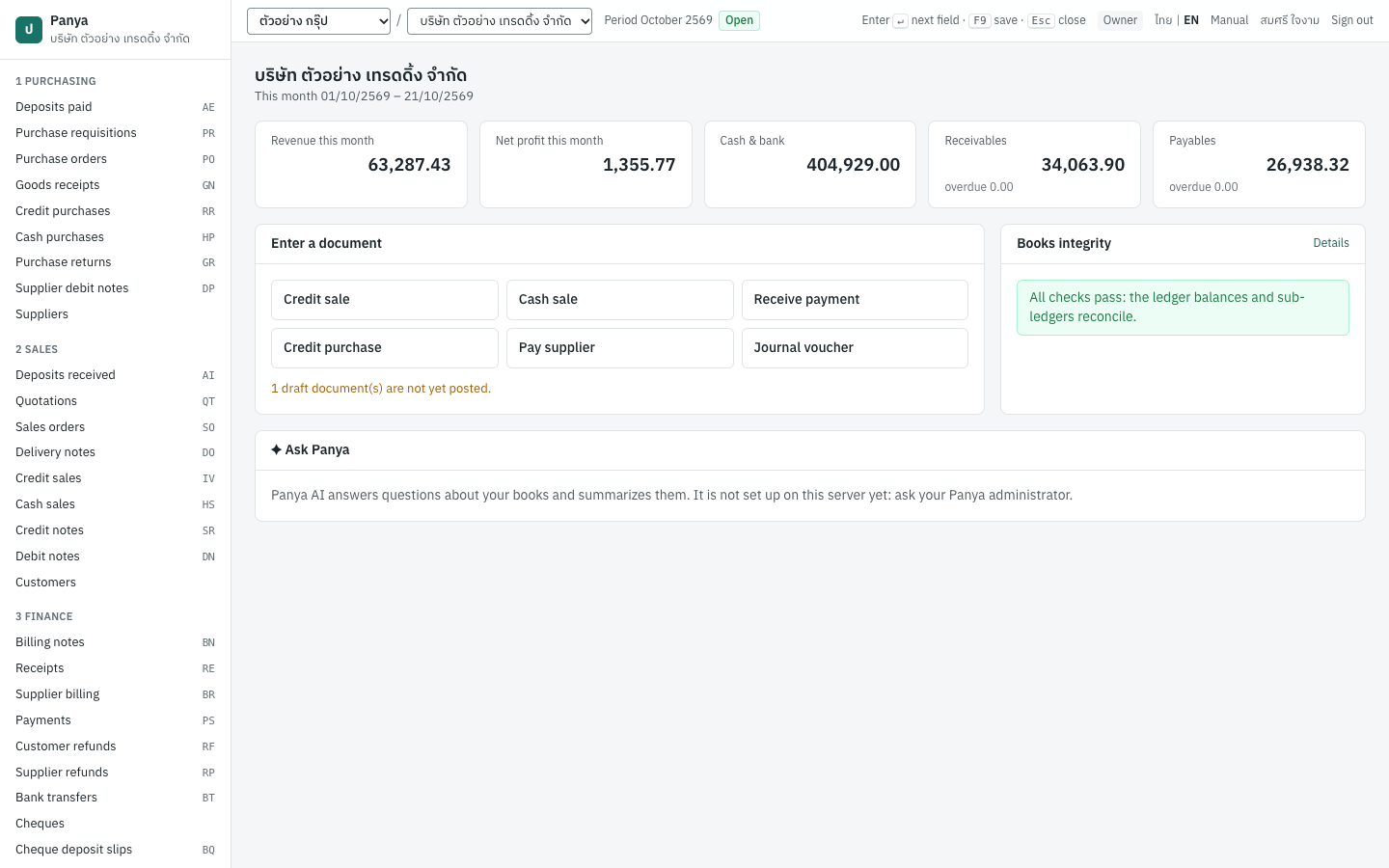
The screenshots come from a demonstration company, บริษัท ตัวอย่าง เทรดดิ้ง จำกัด, with documents dated October 2026. Panya shows dates in the Buddhist era, so October 2026 appears as 10/2569. Your own screens show your company's data, and may show more or fewer buttons depending on your role.
Document codes · รหัสเอกสาร#
Each kind of document has a two-letter prefix, followed by the Buddhist year and month and a running number. For example, IV69100001 is the first credit sale of October 2569. You can change the formats in Setup → Document numbering.
| Code | Document | ภาษาไทย | Menu | Chapter |
|---|---|---|---|---|
| AE | Deposit paid | จ่ายเงินมัดจำ | 1 Purchasing | Purchasing |
| PR | Purchase requisition | ใบขอซื้อ | 1 Purchasing | Purchasing |
| PO | Purchase order | ใบสั่งซื้อ | 1 Purchasing | Purchasing |
| GN | Goods receipt | ใบรับสินค้า | 1 Purchasing | Purchasing |
| RR | Credit purchase | ซื้อเงินเชื่อ | 1 Purchasing | Purchasing |
| HP | Cash purchase | ซื้อเงินสด | 1 Purchasing | Purchasing |
| GR | Purchase return | ส่งคืนสินค้า | 1 Purchasing | Purchasing |
| DP | Supplier debit note | ใบเพิ่มหนี้ (ผู้จำหน่าย) | 1 Purchasing | Purchasing |
| AI | Deposit received | รับเงินมัดจำ | 2 Sales | Sales |
| QT | Quotation | ใบเสนอราคา | 2 Sales | Sales |
| SO | Sales order | ใบสั่งขาย | 2 Sales | Sales |
| DO | Delivery note | ใบส่งของ | 2 Sales | Sales |
| IV | Credit sale (tax invoice) | ขายเงินเชื่อ | 2 Sales | Sales |
| HS | Cash sale | ขายเงินสด | 2 Sales | Sales |
| SR | Credit note | ใบลดหนี้ / รับคืนสินค้า | 2 Sales | Sales |
| DN | Debit note | ใบเพิ่มหนี้ | 2 Sales | Sales |
| BN | Billing note | ใบวางบิล | 3 Finance | Finance |
| RE | Receipt | รับชำระหนี้ | 3 Finance | Finance |
| BR | Supplier billing | ใบรับวางบิล | 3 Finance | Finance |
| PS | Payment | จ่ายชำระหนี้ | 3 Finance | Finance |
| RF | Customer refund | คืนเงินลูกค้า | 3 Finance | Finance |
| RP | Supplier refund | รับเงินคืนจากผู้ขาย | 3 Finance | Finance |
| BT | Bank transfer | โอนเงิน | 3 Finance | Finance |
| BQ | Cheque deposit slip | ใบนำฝากเช็ค | 3 Finance | Finance |
| PT | PP.36 filing | ยื่น ภ.พ.36 | 3 Finance | Finance |
| AJ | Stock adjustment | ปรับปรุงสินค้า | 4 Inventory | Inventory |
| OS | Opening stock | สินค้ายกมา | 4 Inventory | Inventory |
| TF | Stock transfer | โอนย้ายสินค้า | 4 Inventory | Inventory |
| JV | Journal voucher | บันทึกรายการบัญชี | 5 Accounting | Accounting |
| OB | Opening balance voucher | ยอดยกมา | 5 Accounting | Accounting |
| AR, AP | Opening customer and supplier balances | ลูกหนี้/เจ้าหนี้ยกมา | 2 Sales, 1 Purchasing | Setup |
Journal entries have their own numbers by book: GJ general, SJ sales, PJ purchases, RJ receipts, CJ payments, IJ inventory, OJ opening and CL year-end closing. See Accounting.